23 September 2026
Samsung launches One UI 9: what changes for security, AI and daily usability
In the continuously evolving technological landscape, software interface updates often represent a crucial moment in the lifecycle of mobile devices. Samsung has started the official rollout of One UI 9, the new version of the operating system that brings a re
Samsung launches One UI 9: what changes for security, AI and daily usability
In the continuously evolving technological landscape, software interface updates often represent a crucial moment in the lifecycle of mobile devices. Samsung has started the official rollout of One UI 9, the new version of the operating system that brings a renewed mobile experience and advanced features to an increasingly broad base of smartphones and tablets within the Galaxy ecosystem.
From our observatory here in Piombino, where every day we intercept the technological needs of professionals, families and enthusiasts, we follow these evolutionary steps with great attention. These are not mere aesthetic tweaks, but deep interventions that affect daily efficiency and hardware longevity.
The perspective of bisp&d: practical intelligence and autonomous management
What strikes one most about this update is its concreteness-oriented approach. Software releases often introduce superfluous ornaments; in this case, however, the Galaxy AI ecosystem is integrated to solve real everyday problems. From multimedia content management to preventive device maintenance, One UI 9 aims to simplify operations that previously required multiple steps or specific skills.
What really changes in daily use
The update introduces several new features designed to optimize workflow and interaction with the smartphone:
- My FanCam: an intelligent shooting function that automatically tracks the chosen subject within a video, keeping them in the center of the frame even during dynamic movements, reducing the need for manual editing.
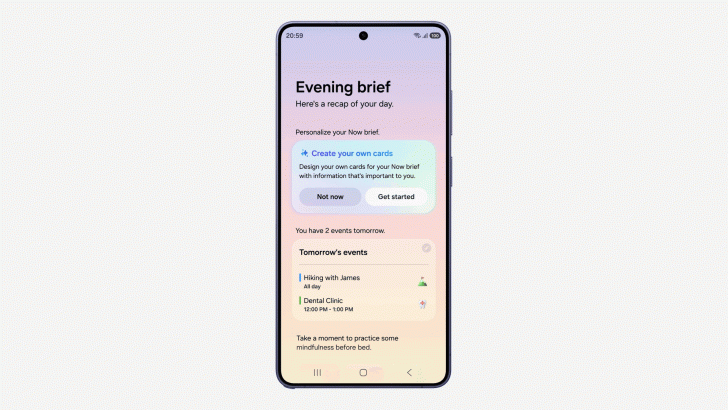
- Now brief and Generative cards: daily briefings become customizable with dedicated widgets for health, weather and video, offering an immediate overview of the most relevant information for the user.
- Warranty and Integrated Assistance: the Settings menu now brings together diagnostics, coverage verification and management of protection services, simplifying contact with official technical support.
- Advanced translations and scanning: the interpreter conversation mode becomes more fluid and natural, while document scanning autonomously handles curved pages or folded corners for clean results.
Security and privacy: control in the user's hands
A prominent aspect concerns personal data protection. With Security Brief and advanced alerts based on on-device artificial intelligence, the system promptly reports anomalies, such as superfluous permissions granted in the background or potential critical issues linked to unverified apps. This level of transparency allows even less experienced users to maintain full control over their device without having to resort to complex checks.
Who it concerns and what to check before proceeding
The rollout of One UI 9 primarily concerns owners of the most recent flagship devices, starting from the Galaxy S26 series and the latest generation foldables such as the Fold and Flip range, and then gradually extending to other compatible models.
Before installing an update of this magnitude on your terminal, in our laboratory we always recommend carrying out some simple preliminary checks:
- Date backup: although update processes are now extremely secure, keeping a backup copy of photos, documents and chats is a fundamental good habit.
- Storage space: verify that you have a sufficient amount of free memory available to download and install the software package smoothly.
- Stable connection: proceed with the download preferably under a stable Wi-Fi network and with a battery charge percentage greater than fifty percent.
Conclusion
One UI 9 confirms itself as a solid update, capable of combining intelligent automation and greater security. If you own a compatible device, installation represents an important step to improve the overall user experience. For any doubts regarding the compatibility of your smartphone or for support in configuring the new features, the bisp&d team in Piombino remains available in our store and technology laboratory to guide you step by step.
Related products
INNO-HIT Smart Band CORE monitoraggio Salute e Fitness 24/7
HIKVISION HIKSEMI BOX 2.5 HDD/SSD, TYPE C, VELOCITA TRASF 6GBPS, WINDOWS, MAC OS, LINUX, ANDROID
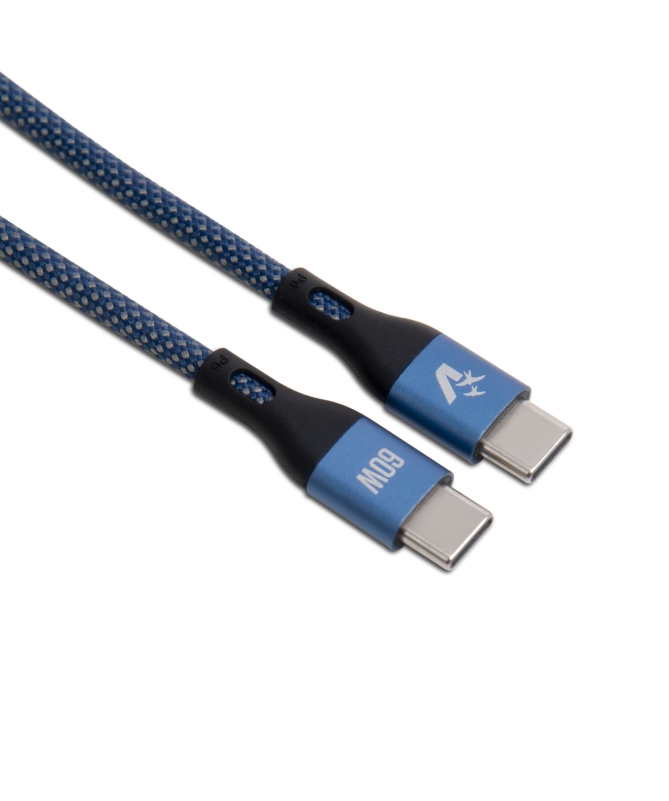
VULTECH CAVO SMARTPHONE TYPE-C A TYPE-C 1,2m, 3.0A 60W, NYLON, BLU