23 July 2026
ThinkPad and "calm" technology: when design reduces digital stress
In our laboratory in Piombino, we often find ourselves discussing with customers not only computing power or processor speed, but how a computer "feels" during daily use. Recently, nine models in the Lenovo ThinkPad line have obtained the Calm Tech Certified™
ThinkPad and "calm" technology: when design reduces digital stress
In our laboratory in Piombino, we often find ourselves discussing with customers not only computing power or processor speed, but how a computer "feels" during daily use. Recently, nine models in the Lenovo ThinkPad line have obtained the Calm Tech Certified™ Platinum certification, a recognition that rewards a device's ability to reduce the user's cognitive load. But what does this mean concretely for those who work in front of a screen every day?
The concept of "Calm Technology"
Calm technology is not a passing fad, but a design approach that aims to make interaction with the PC as natural and intuitive as possible. The goal is to eliminate small frustrations — such as searching for a key without finding it or not knowing if the PC is charging — which, added up over the course of a workday, increase stress and distract from the main task.
What really changes in the user experience
According to the analysis by the Calm Tech Institute, ThinkPads excel because they integrate physical solutions that support the workflow without requiring additional mental effort:
- Tactile feedback: The keyboard, with its physical reference points, allows you to type without having to constantly look at the keys.
- Immediate control: The use of physical webcam shutters and dedicated microphone keys offers visual and tactile certainty regarding one's privacy.
- Discreet signaling: The status LED for charging, visible even when the PC is closed, provides immediate information without the need to open the device.
- Pointer ergonomics: The TrackPoint remains a distinctive element that allows you to manage the cursor without moving your hands away from the keyboard, maintaining operational fluidity.
Who is this certification for?
This attention to design is fundamental for professionals who spend many hours at the computer. It is not just about aesthetics, but about visual and mental health: the integration of low blue light screens and flicker-free technologies, combined with ease of repair (which ensures greater product longevity), makes these devices tools designed to last and not fatigue the user.
What to check before purchasing
If you are considering buying a new laptop, we suggest you don't just look at the technical specifications. Here is what to check based on the philosophy of calm technology:
- Tactile quality: Try the keyboard. Do the keys offer adequate resistance? Can you distinguish the function keys without looking?
- Privacy management: Is there a physical webcam shutter? It is a detail that makes a difference in daily security management.
- Maintainability: Find out about the ease of access to internal components. A repairable PC is an investment that reduces obsolescence anxiety.
- Visual feedback: Check for the presence of clear light indicators that communicate system status without requiring the screen to be turned on.
The point of view of bisp&d
As technicians, we appreciate that an independent body has validated what we have been observing for years: the quality of a computer is also measured by the care of invisible details. A device that "makes itself forgotten" while we work is, ultimately, the best productivity companion. The certification obtained by the ThinkPads is not just a quality stamp, but confirmation that ergonomics and human-centered design remain the fundamental pillars for anyone looking for a reliable and long-lasting work tool.
Related products
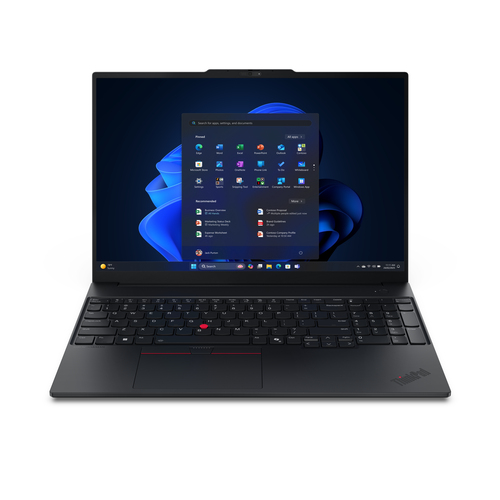
LENOVO NB THINKPAD E16 AMD G3 RYZEN RZ5 220 16GB 512GB 16 WIN 11 PRO

ASUS MONITOR 27 LED IPS 16:9 QHD 100 HZ, PROART, CALMAN VERIF, PIVOT, USB-C, DP/HDMI, 90LM05L1-B0437
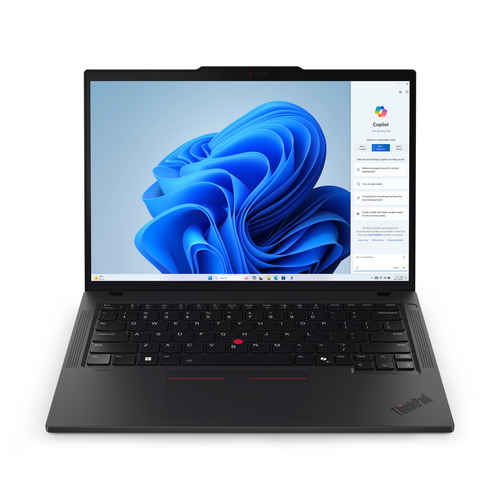
LENOVO NB THINKPAD T14 GEN5 RZ5 PRO 8540U 16GB 512GB 14 WIN 11 PRO